PDFTests Originals

Technology and Devices – Test 1

A2 Elementary VocabularyEnglish

This A2 vocabulary test checks everyday English words for technology and devices, such as chargers, apps, passwords and webcams. It covers word meaning, common collocations like 'turn off' and 'charge your phone', a short reading text and word families. It suits learners at elementary level and teachers who want a quick topic review.
Questions
30
Time
30 min
PDF
4 pages
Answer key
Included
  • 100% free
  • No sign-up or email
  • Print-ready A4 PDF
Preview of page 1 of Technology and Devices – Test 1 Open PDF

Take the test online

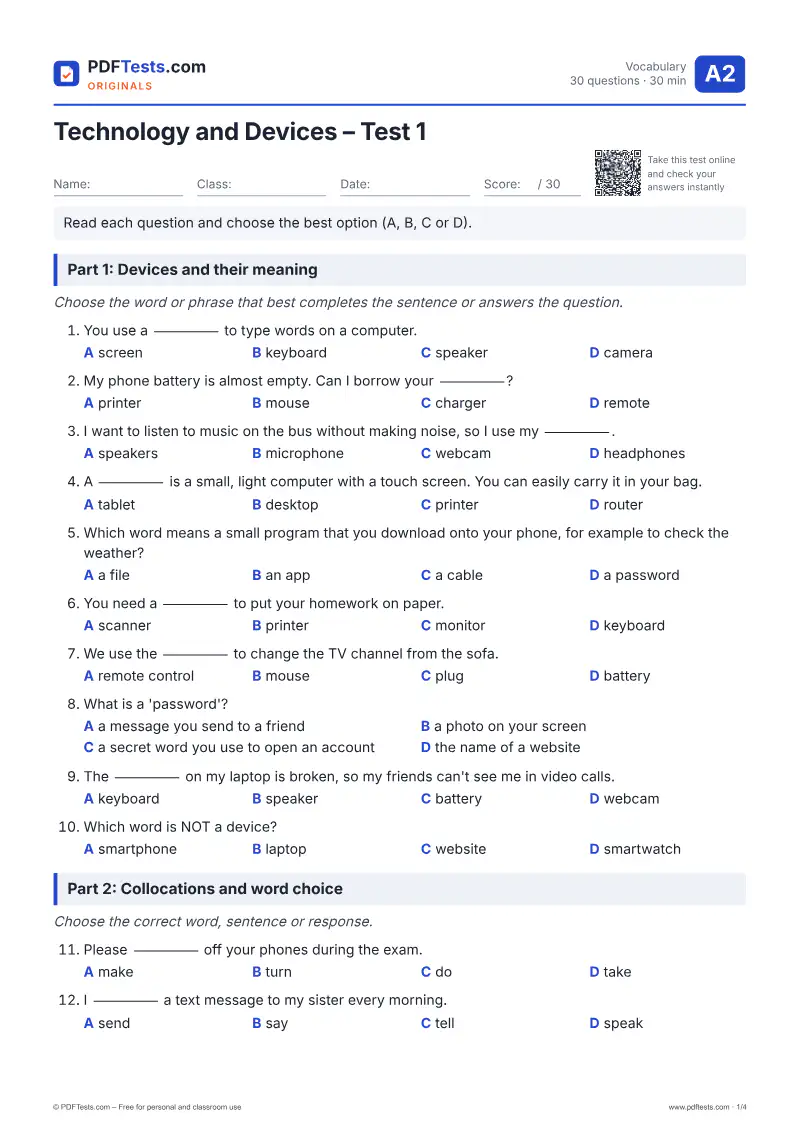
Read each question and choose the best option (A, B, C or D). Choose your answers, then press “Check my answers”.

Part 1: Devices and their meaning

Choose the word or phrase that best completes the sentence or answers the question.

  1. You use a _____ to type words on a computer.

  2. My phone battery is almost empty. Can I borrow your _____?

  3. I want to listen to music on the bus without making noise, so I use my _____.

  4. A _____ is a small, light computer with a touch screen. You can easily carry it in your bag.

  5. Which word means a small program that you download onto your phone, for example to check the weather?

  6. You need a _____ to put your homework on paper.

  7. We use the _____ to change the TV channel from the sofa.

  8. What is a 'password'?

  9. The _____ on my laptop is broken, so my friends can't see me in video calls.

  10. Which word is NOT a device?

Part 2: Collocations and word choice

Choose the correct word, sentence or response.

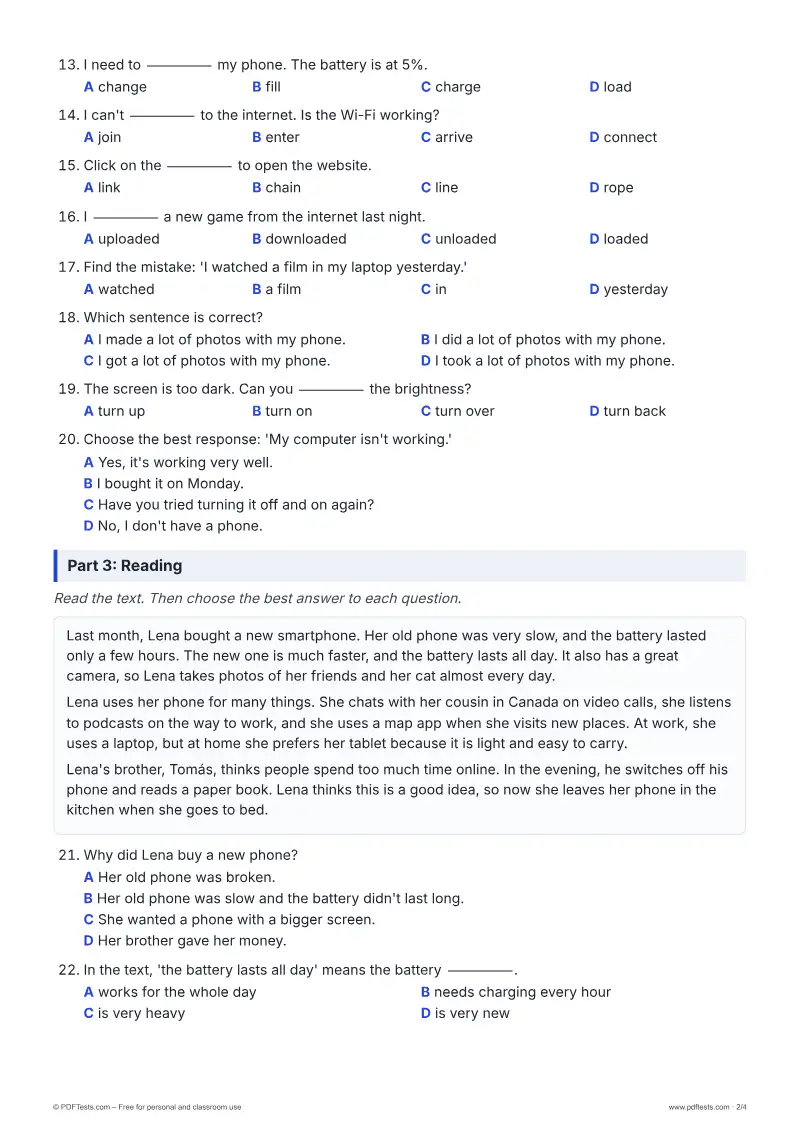
  1. Please _____ off your phones during the exam.

  2. I _____ a text message to my sister every morning.

  3. I need to _____ my phone. The battery is at 5%.

  4. I can't _____ to the internet. Is the Wi-Fi working?

  5. Click on the _____ to open the website.

  6. I _____ a new game from the internet last night.

  7. Find the mistake: 'I watched a film in my laptop yesterday.'

  8. Which sentence is correct?

  9. The screen is too dark. Can you _____ the brightness?

  10. Choose the best response: 'My computer isn't working.'

Part 3: Reading

Read the text. Then choose the best answer to each question.

Last month, Lena bought a new smartphone. Her old phone was very slow, and the battery lasted only a few hours. The new one is much faster, and the battery lasts all day. It also has a great camera, so Lena takes photos of her friends and her cat almost every day.

Lena uses her phone for many things. She chats with her cousin in Canada on video calls, she listens to podcasts on the way to work, and she uses a map app when she visits new places. At work, she uses a laptop, but at home she prefers her tablet because it is light and easy to carry.

Lena's brother, Tomás, thinks people spend too much time online. In the evening, he switches off his phone and reads a paper book. Lena thinks this is a good idea, so now she leaves her phone in the kitchen when she goes to bed.

  1. Why did Lena buy a new phone?

  2. In the text, 'the battery lasts all day' means the battery _____.

  3. Where does Lena use a laptop?

  4. Why does Lena prefer her tablet at home?

  5. What does Tomás do in the evening?

Part 4: Word families

Choose the correct form of the word to complete each sentence.

  1. My new laptop is very _____. I can do many things with it.

  2. A person who writes computer programs is a _____.

  3. Lena's old phone was slow, but her new phone works _____.

  4. Video calls make it _____ to talk to family in other countries.

  5. This website is very _____. I always find the information I need.

Was this page helpful?

Report a mistake

Spotted a wrong answer, a typo or an unclear explanation? Tell us and we will fix it.

Practise with a worksheet: Technology and Devices – Worksheet 1

Preview

About this test

This A2 vocabulary test checks everyday English words for technology and devices, such as chargers, apps, passwords and webcams. It covers word meaning, common collocations like 'turn off' and 'charge your phone', a short reading text and word families. It suits learners at elementary level and teachers who want a quick topic review.

Topics covered

Devices and partsPhone and computer actionsCollocations with technologyReading in contextWord familiesEveryday tech problems

How to use this test

  1. Download the PDF and print it, or take the test online below.
  2. Answer every question without a dictionary or time pressure.
  3. Check your answers and note the topics you need to review.

Notes for teachers

Use this test after a unit on technology or as a quick review. It targets common A2 errors such as 'make a photo' instead of 'take a photo', 'in my laptop' instead of 'on my laptop', and confusion between download and upload. Part 4 practises adjective and adverb forms; as follow-up, ask students to write five sentences about how they use their own devices.