PDFTests Originals

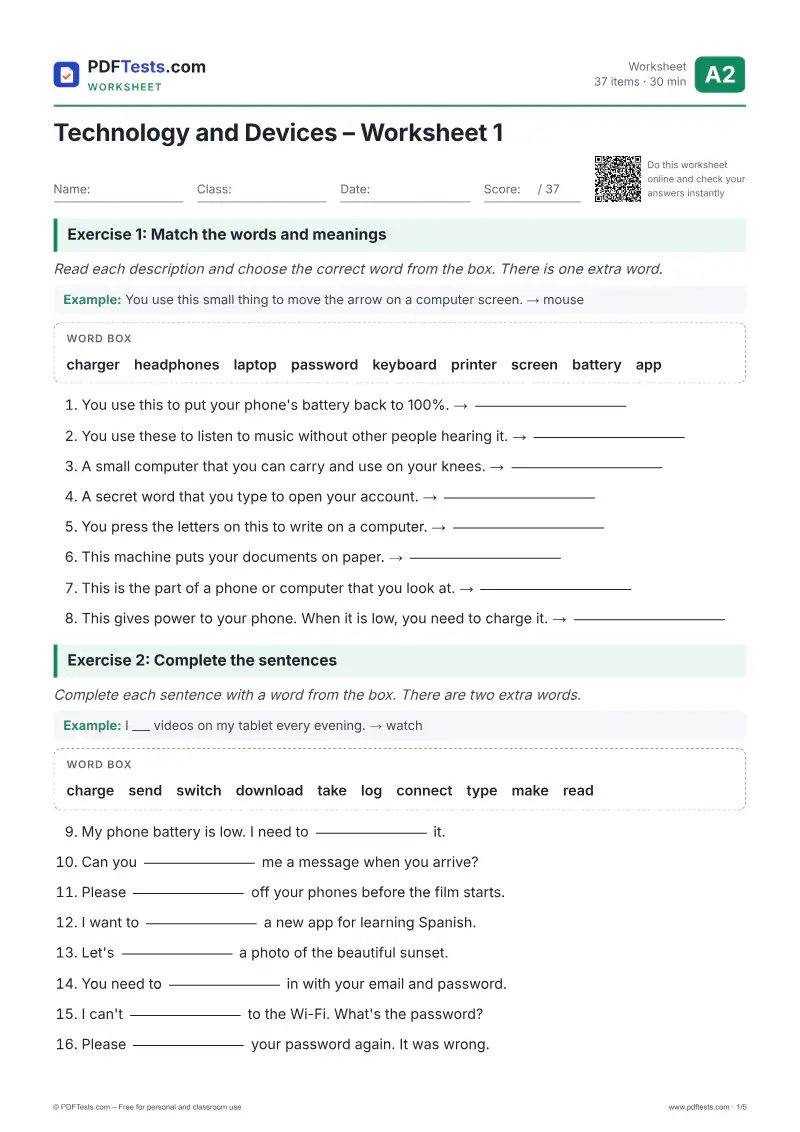
Technology and Devices – Worksheet 1

A2 Elementary WorksheetEnglish

This worksheet helps A2 learners practise everyday technology vocabulary such as charger, password, keyboard and wireless. Learners match words to meanings, use common collocations like take a photo and log in, form new words and correct typical mistakes. It suits classroom use or self-study at home.
items
37
Time
30 min
PDF
5 pages
Answer key
Included
  • 100% free
  • No sign-up or email
  • Print-ready A4 PDF
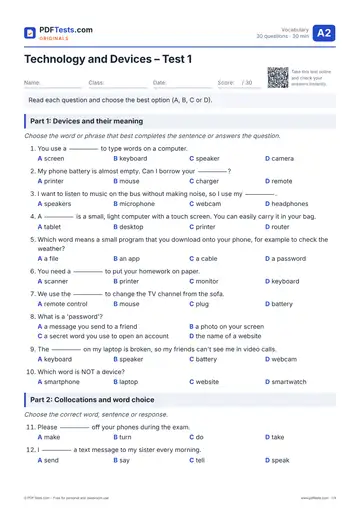
Preview of page 1 of Technology and Devices – Worksheet 1 Open PDF

Do the worksheet online

Type your answers, then press “Check my answers”. Alternative correct answers are accepted.

Exercise 1: Match the words and meanings

Read each description and choose the correct word from the box. There is one extra word.

Example: You use this small thing to move the arrow on a computer screen. → mouse

Word box chargerheadphoneslaptoppasswordkeyboardprinterscreenbatteryapp

  1. You use this to put your phone's battery back to 100%.

  2. You use these to listen to music without other people hearing it.

  3. A small computer that you can carry and use on your knees.

  4. A secret word that you type to open your account.

  5. You press the letters on this to write on a computer.

  6. This machine puts your documents on paper.

  7. This is the part of a phone or computer that you look at.

  8. This gives power to your phone. When it is low, you need to charge it.

Exercise 2: Complete the sentences

Complete each sentence with a word from the box. There are two extra words.

Example: I ___ videos on my tablet every evening. → watch

Word box chargesendswitchdownloadtakelogconnecttypemakeread

  1. My phone battery is low. I need to it.

  2. Can you me a message when you arrive?

  3. Please off your phones before the film starts.

  4. I want to a new app for learning Spanish.

  5. Let's a photo of the beautiful sunset.

  6. You need to in with your email and password.

  7. I can't to the Wi-Fi. What's the password?

  8. Please your password again. It was wrong.

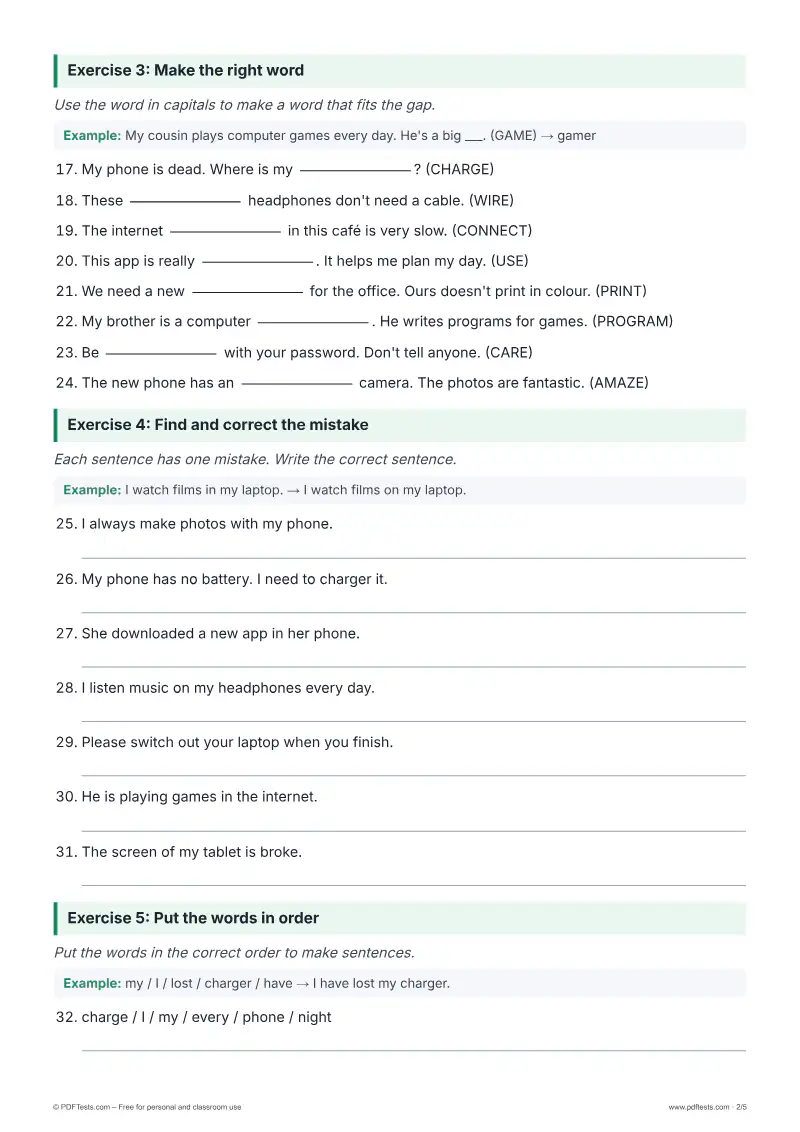
Exercise 3: Make the right word

Use the word in capitals to make a word that fits the gap.

Example: My cousin plays computer games every day. He's a big ___. (GAME) → gamer

  1. My phone is dead. Where is my ? (CHARGE)

  2. These headphones don't need a cable. (WIRE)

  3. The internet in this café is very slow. (CONNECT)

  4. This app is really . It helps me plan my day. (USE)

  5. We need a new for the office. Ours doesn't print in colour. (PRINT)

  6. My brother is a computer . He writes programs for games. (PROGRAM)

  7. Be with your password. Don't tell anyone. (CARE)

  8. The new phone has an camera. The photos are fantastic. (AMAZE)

Exercise 4: Find and correct the mistake

Each sentence has one mistake. Write the correct sentence.

Example: I watch films in my laptop. → I watch films on my laptop.

  1. I always make photos with my phone.

  2. My phone has no battery. I need to charger it.

  3. She downloaded a new app in her phone.

  4. I listen music on my headphones every day.

  5. Please switch out your laptop when you finish.

  6. He is playing games in the internet.

  7. The screen of my tablet is broke.

Exercise 5: Put the words in order

Put the words in the correct order to make sentences.

Example: my / I / lost / charger / have → I have lost my charger.

  1. charge / I / my / every / phone / night

  2. you / do / know / the / Wi-Fi / password / ?

  3. is / my / laptop / battery / low / the / on

  4. send / can / a / you / me / message / ?

  5. she / her / is / headphones / wearing

  6. download / want / I / to / app / this

Was this page helpful?

Report a mistake

Spotted a wrong answer, a typo or an unclear explanation? Tell us and we will fix it.

Preview

About this test

Printable A2 English worksheet on technology and devices vocabulary: meanings, collocations like charge a phone, and word forms. Answers included.

Topics covered

Technology vocabularyDevices and gadgetsCollocationsWord formationEveryday phone and computer use

Notes for teachers

Start with Exercise 1 to check meaning before moving to collocations and word forms. Common mistakes include saying make a photo instead of take a photo, forgetting to after listen, and using in instead of on for apps and the internet. For follow-up, ask learners to describe their favourite device and how they use it every day, using at least five words from the worksheet.

All English A2 tests →